
담은
한국어
English
장바구니 합계를 미리 아는

담을 때마다 합계가 따라옵니다

살 것을 미리 적고 장을 보면서 하나씩 체크하면, 담은 금액이 실시간으로 쌓입니다. 예산을 정해두면 게이지 색이 바뀌어 예산선에 얼마나 가까운지 바로 알 수 있습니다.

무료로 바로 씁니다. 회원가입이 없고, 적어둔 목록은 기기 안에만 남습니다.

담은 금액
74,000원
여유 있음
0
예산 100,000원
끌어서 담아보기
남은 금액
26,000원
예산
100,000원
한눈에 보기
장 보는 흐름 그대로
집에서 적고, 장 보면서 체크하고, 예산 안에서 끝냅니다. 여섯 단계가 전부입니다.
01

집에서 목록 적기
집에서 목록 적기
살 것을 미리 적어둡니다. 금액은 알면 적고, 몰라도 나중에 넣으면 됩니다.
02
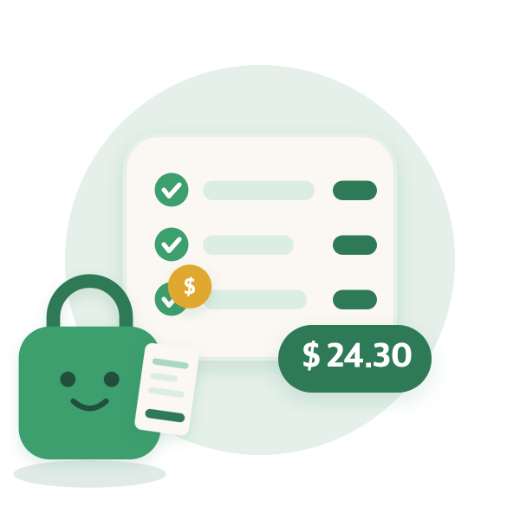
담을 때마다 합계
담을 때마다 합계
장 보면서 하나씩 체크하면 담은 금액이 실시간으로 쌓입니다.
03

예산 안에서
예산 안에서
예산을 정하면 게이지에 예산선이 표시되고, 가까워질수록 색이 바뀝니다.
04
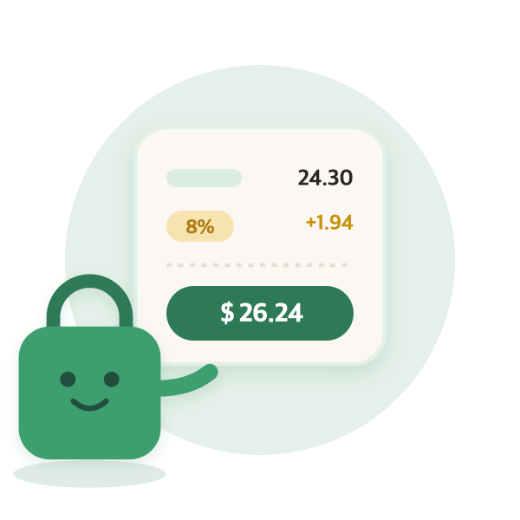
세금까지 포함
세금까지 포함
판매세가 있는 지역이면 세율을 넣어 세금 포함 금액으로 봅니다.
05
남은 것만 보기
남은 것만 보기
담은 항목은 목록에서 접어두고 아직 안 담은 것만 봅니다.
06

목록 공유
목록 공유
다 적은 목록을 그대로 같이 장 볼 사람에게 보냅니다.
할인 계산
키패드 안에서 바로 계산
사칙연산과 할인 % 키가 키패드에 들어 있습니다. 계산기를 따로 켜지 않고 그 자리에서 값을 넣습니다.
정가
12,900원
9,030원
-3,870원 할인
-10%
-20%
-30%
-50%
2+1 행사처럼 개수로 묶인 할인도 같은 키패드에서 계산합니다.
입력 순서
상황에 맞게 바꿉니다
집에서 목록을 짤 때, 장을 보면서 담을 때, 영수증을 보고 정리할 때 편한 순서가 다릅니다. 탭 한 번으로 바꿉니다.
이름 먼저
한 줄씩
금액 먼저
사과
18,900원
우유
7,480원
달걀
5,290원
집에서 목록을 미리 짤 때
통화
지역 통화 표기를 그대로 따릅니다
설정에서 통화를 고르면 기호와 소수점, 천 단위 구분이 그 통화 규칙대로 바뀝니다. 원·엔은 정수로, 달러·유로·파운드·위안은 소수 둘째 자리까지 표시합니다. 판매세가 있는 지역은 합계와 게이지에 세금이 반영됩니다. 통화를 바꿔도 진행 중인 체크리스트는 저장 당시의 통화를 유지합니다.
KRW · 한국
100,000원
USD · United States
$70.00
EUR · Deutschland
70,00 €
JPY · 日本
10,000円
GBP · United Kingdom
£70.00
CNY · 中国
¥70.00
언어
한국어
English
앱은 기기 언어를 따라 한국어와 English로 표시됩니다. 이 소개 페이지도 같은 두 언어로 제공합니다.
자주 묻는 질문
데이터가 다른 기기에도 동기화되나요?
아니요. 모든 체크리스트 데이터는 사용하시는 기기 안에만 저장됩니다. 계정이 없어 서버로 전송되지 않으며, 기기를 바꾸거나 앱을 삭제하면 데이터도 함께 사라집니다.
앱을 지웠다가 다시 깔았는데 목록이 없어졌어요.
앱을 삭제하면 기기에 저장된 데이터도 함께 삭제됩니다. 복구할 방법이 없습니다. 중요한 목록은 공유하기로 텍스트를 내보내 따로 보관해 주세요.
언어나 통화를 바꾸고 싶어요.
설정에서 언어와 통화를 바꿀 수 있습니다. 통화를 바꿔도 진행 중인 체크리스트는 저장 당시의 통화를 그대로 유지합니다.
예산을 정했는데 게이지가 안 보여요.
예산을 설정해야 게이지가 나타납니다. 체크리스트 화면 오른쪽 위 ⋯ 메뉴에서 예산 변경을 눌러 금액을 정해 주세요.
할인 계산은 어떻게 하나요?
금액 칸을 누른 뒤 키보드의 할인 % 키를 누르고 할인율을 입력하면 자동으로 반영됩니다. 사칙연산 키로 2+1 행사 같은 계산도 그 자리에서 할 수 있습니다.
광고를 없앨 수 있나요?
현재는 광고 제거 기능이 없습니다. 앱은 광고로 무료 운영되고 있습니다.
담은 지원
앱을 쓰시다 막히는 부분이 있으면 아래로 알려주세요. 평일 기준 2~3일 안에 답변드립니다. 사용 중인 기기와 앱 버전을 함께 적어주시면 더 빨리 확인할 수 있습니다. 앱 안에서 설정 → 문의하기를 누르면 이 정보가 자동으로 채워집니다.

hankimsoft@gmail.com
계산대 앞에서 놀라지 않기
Brim
한국어
English
Know your basket total

Every item adds itself up

Write down what you plan to buy, check items off as you shop, and the total builds as you go. Set a budget and the gauge changes color as you approach it.

Free to use. No sign-up, and the lists you write stay on your device.
In basket
$51.80
Room to spare
0
Budget $70.00
Drag to fill the basket
Left
$18.20
Budget
$70.00
At a glance
It follows how you shop
Write it at home, check things off in the aisle, finish inside your budget. Six steps, that is all.
01
Write the list at home
Note what you plan to buy. Add a price if you know it, or fill it in later.
02
It adds itself up
It adds itself up
Check items off as you shop and the total builds as you go.
03
Stay inside the budget
Set a budget and the gauge marks the line, changing color as you near it.
04
Tax included
Tax included
Where sales tax applies, enter the rate and see the tax-inclusive total.
05
Show only what is left
Checked items fold away so you see what you still need.
06
Share the list
Share the list
Send the list you wrote to whoever is shopping with you.
Discounts
Worked out inside the keypad
Arithmetic keys and a discount % key are built into the keypad. No second calculator — the number goes in right where you are.
List price
$12.90
$9.03
-$3.87 off
-10%
-20%
-30%
-50%
Quantity deals like 2-for-1 work out on the same keypad.
Entry order
Fits the moment
Planning at home, adding things in the aisle, and sorting a receipt each want a different order. One tap to switch.
Name first
One at a time
Price first
Apples
$13.90
Milk
$5.49
Eggs
$3.89
Planning the list at home
Currencies
Regional currency formats, followed exactly
Pick a currency in Settings and symbols, decimals, and separators follow its own rules. Won and yen show as whole numbers; dollar, euro, pound, and yuan go to two decimals. Where sales tax applies, it is reflected in the total and the gauge. A checklist already in progress keeps the currency it was created with.
KRW · 한국
100,000원
USD · United States
$70.00
EUR · Deutschland
70,00 €
JPY · 日本
10,000円
GBP · United Kingdom
£70.00
CNY · 中国
¥70.00
Languages
한국어
English
Brim follows your device language: Korean and English. This page is available in the same two languages.
FAQ
Does my data sync to my other devices?
No. All checklist data is stored only on the device you are using. There is no account and none of it is sent to a server, so your lists do not carry over to a new device.
I reinstalled the app and my lists are gone.
Deleting the app also deletes the data stored on the device, and it cannot be recovered. Use Share to export a list as text if you want to keep it.
How do I change the language or currency?
Both are in Settings. Changing the currency does not affect a checklist already in progress — it keeps the currency it was created with.
I set a budget but I do not see the gauge.
The gauge appears only after a budget is set. Open the ⋯ menu at the top right of a checklist and choose Change budget.
How do discounts work?
Tap a price field, press the discount % key on the keypad, and enter the rate. The arithmetic keys are there too, so you can work out a 2-for-1 on the spot.
Can I remove the ads?
Not at the moment. The app is free and runs on ads.
Brim Support
If anything is not working as expected, let us know. We usually reply within 2-3 business days. Please include your device model and the app version — tapping Settings > Contact Us inside the app fills this in for you.
hankimsoft@gmail.com
No more surprises at the register